Add inputsAttach images, videos, or audio that are part of what you want to create.
0/3
JPG, PNG, WebP · 20 MB max
0/3
MP4, WebM, MOV · 100 MB max
0/3
MP3, WAV, M4A, FLAC · 50 MB max
Just add the material you need. The generator will use it automatically.
0 / 5000
For text-to-image, describe hierarchy, subject, layout, exact text, materials, light, and finish. For image-to-image, upload references and describe the edit.
Seedream 5.0 Pro is a flagship AI image generation and editing model designed to turn complex creative instructions into polished, production-ready visuals. It excels at structured compositions, readable multilingual typography, photorealistic detail, consistent characters and products, and precise reference-based editing. The model can create infographics, posters, storyboards, advertising assets, product imagery, portraits, and cinematic scenes from a text prompt, or transform existing images while preserving the elements that should remain unchanged.
Seedream 5.0 Pro Features
Layouts That Survive Generation
Hand Seedream 5.0 Pro a structured brief — panels, labels, exact titles, visual priority — and it renders the hierarchy instead of flattening it. Infographics, technical drawings, and editorial layouts hold together at production quality.
Direct native text in 14 languages: posters, packaging, signage, and campaign variants with the exact wording you wrote. Multilingual layouts keep every script legible in the same frame.
Edit a Frame Without Rebuilding It
Upload up to 10 reference images and describe what changes. Seedream applies the edit precisely — swap a background, adjust a product, restyle a region — while everything you didn't mention stays exactly where it was.
Why Choose Seedream 5.0 Pro?
Choose Seedream 5.0 Pro when your brief demands creative range, accurate structure, and production-ready detail in the same result.
Prompt intelligence
Complex Briefs, Clearly Followed
Turn detailed instructions into coherent images with the requested subjects, composition, hierarchy, materials, lighting, and visual style.
Text and layout
Readable Type, Real Structure
Create posters, infographics, packaging, and editorial designs with clear visual hierarchy and legible multilingual text.
Visual fidelity
Production-Ready Detail
Generate polished imagery with realistic texture, controlled lighting, accurate materials, and cinematic depth across a wide range of styles.
Reference editing
Up to 10 Reference Images
Combine visual references, preserve important characters or products, and change selected elements without rebuilding the entire scene.
How to Generate an AI Image with Seedream 5.0 Pro
01
Choose How to Start
Select Text to Image to create a new visual from a prompt, or choose Image to Image when you want to edit an existing image or guide the result with references.
02
Upload Your Reference Images
For image-based generation, upload up to 10 reference images. Use them to preserve a character, product, composition, color palette, or visual style across the new result.
03
Describe the Result You Want
Write a clear prompt covering the subject, composition, exact text, lighting, materials, and style. For edits, state what should change and what must remain unchanged.
04
Set the Frame and Generate
Choose the aspect ratio, review your prompt and uploaded images, then generate. Refine the next result by changing one instruction or reference at a time.
What Can You Make With Seedream 5.0 Pro?
Working prompt structures with the result they produced. Swap the subject, keep the direction concrete, and adapt them to your own brief.
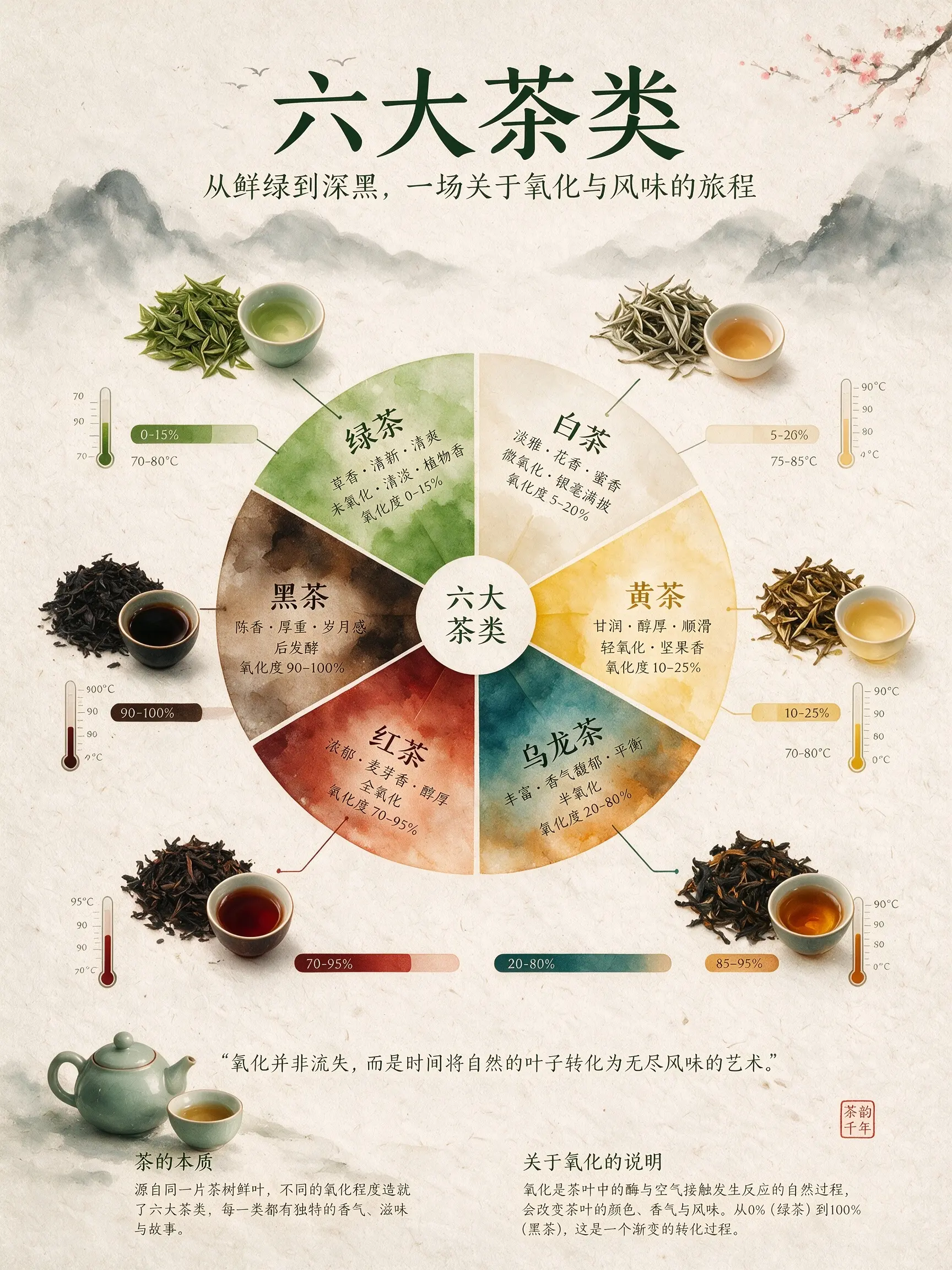
Information design
A dense educational layout combines a flavor wheel, ingredient drawings, process diagrams, labels, and restrained watercolor styling.
Infographic explaining six major tea types with a watercolor flavor wheel, tea leaves, oxidation charts, thermometers, and rice-paper texture.
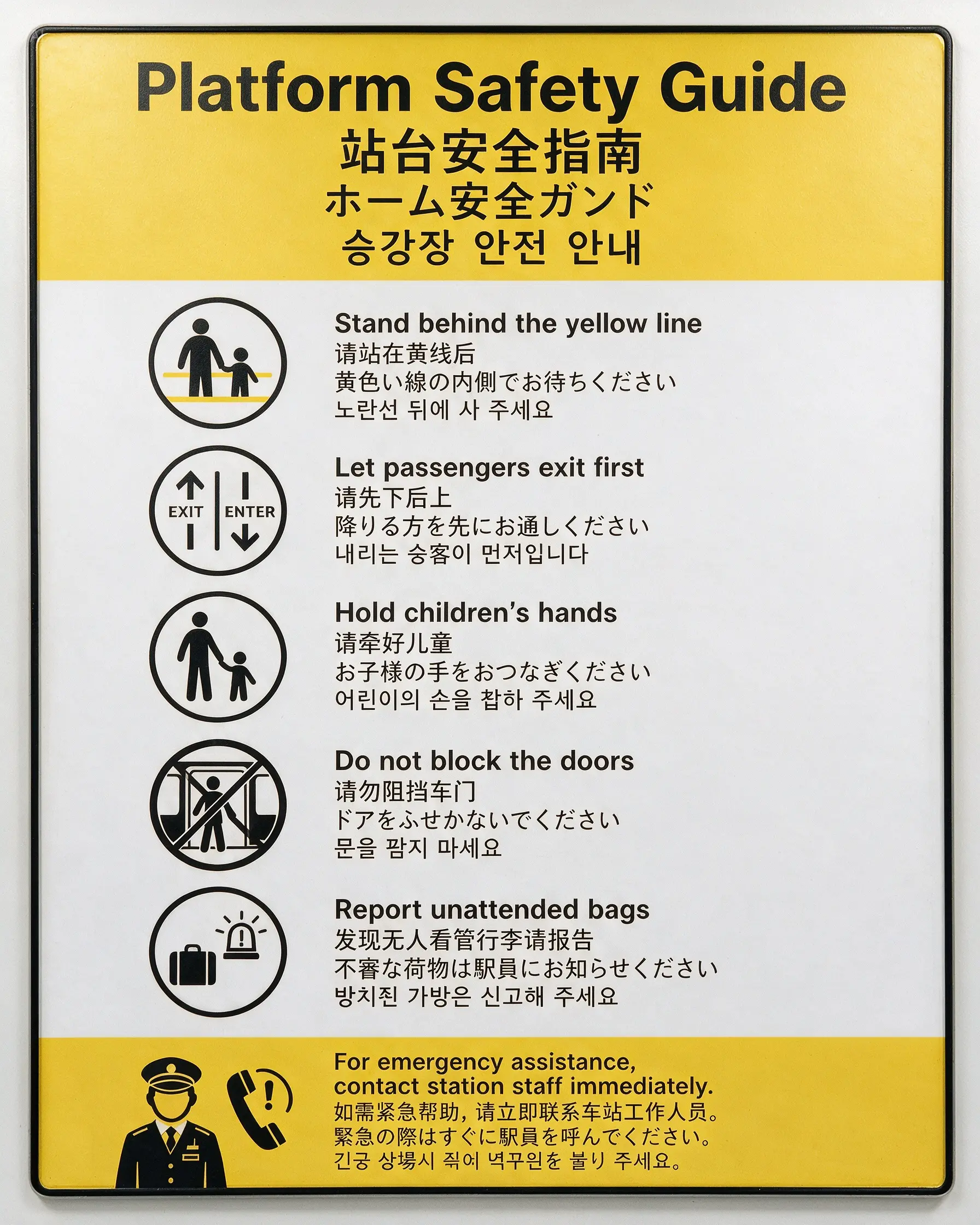
Multilingual signage
A public-information poster tests dense hierarchy and readable English, Chinese, Japanese, and Korean text in one frame.
Vertical subway safety notice in white, yellow, and black, with clear English, Chinese, Japanese, and Korean sections.
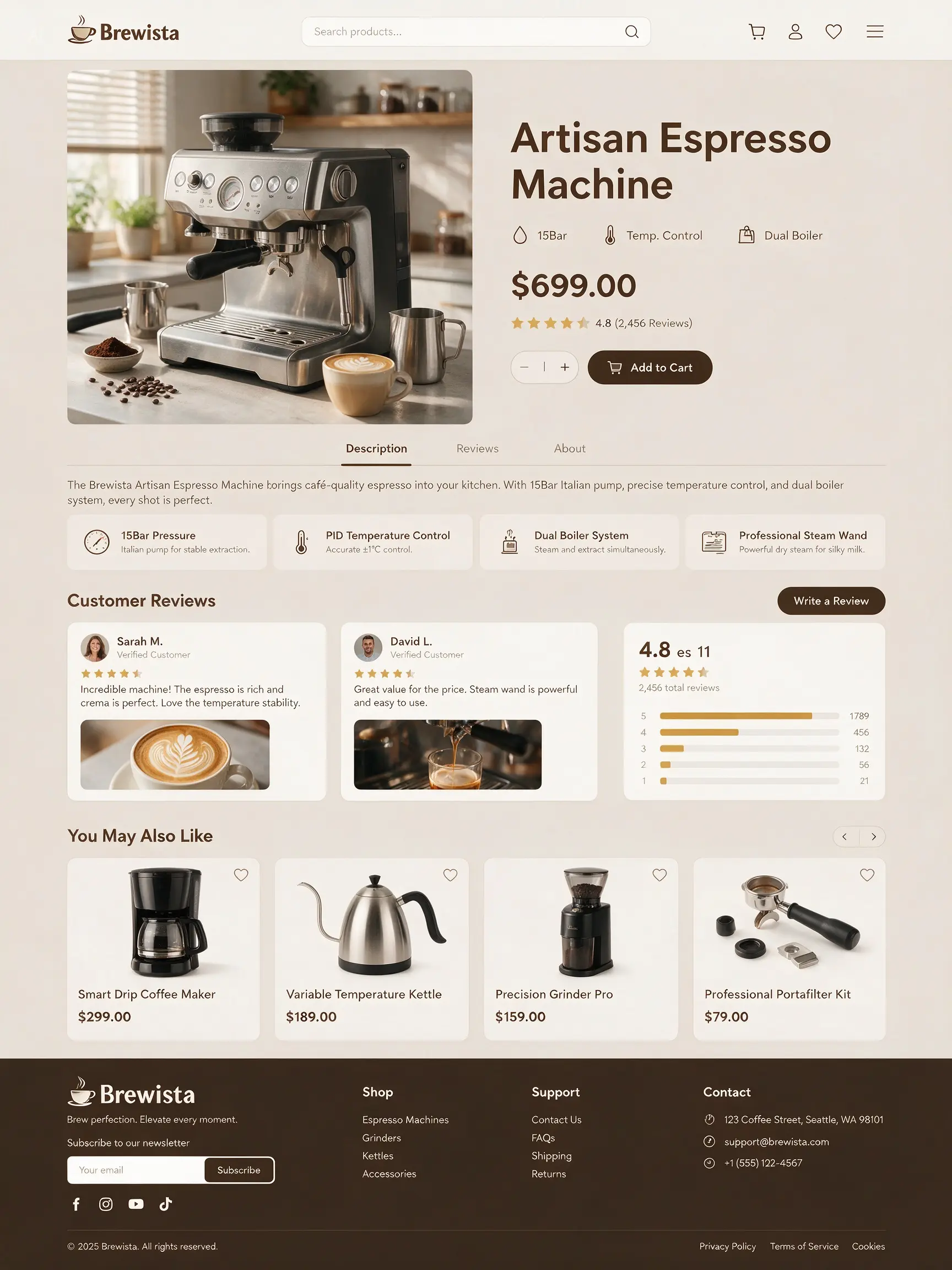
Commerce layout
A complete product-detail composition shows how the model handles merchandising, feature callouts, and visual hierarchy together.
Generate an e-commerce product detail page for a coffee machine.
Clear Pricing. Automatic Failure Refunds.
See the credit cost before every generation, then choose a subscription or a one-time top-up when you need more.
Pay month to month, receive a fresh credit grant after every successful renewal, and cancel anytime.
Start here
Free
Generate one FLUX.2 image before paying.
Freeto start
1 welcome credit
Estimated capacityUp to 1 minimum-cost imageFrom 1 credit per image
1 welcome credit
Text and image functions
Five aspect ratios
Generation history
Most popular
Creator
For regular individual creative work.
$29/ month
120 credits / month
$0.242 / credit
Estimated capacityUp to 120 minimum-cost imagesFrom 1 credit per image
120 credits every month
Credits roll over
Generation history
Cancel anytime
Monthly plan
Studio
For campaigns and higher-volume production.
$79/ month
330 credits / month
$0.239 / credit
Estimated capacityUp to 330 minimum-cost imagesFrom 1 credit per image
330 credits every month
Credits roll over
Generation history
Email support
Monthly plan
Max
For larger workloads, with adjustable credit capacity.
$158/ month
660 credits / month
$0.239 / credit
Estimated capacityUp to 660 minimum-cost imagesFrom 1 credit per image
Monthly credit grant
Scale up to 5x credits
Credits roll over
Generation history
Email support
Cancel anytime
Capacity uses the lowest-cost live setup for this site. Your exact credit cost changes with the selected model and settings and is shown before generation.
What creators say after using this workflow in production.
Seedream 5.0 Pro handled a bilingual poster with labels in the right panels on the first useful pass. That is rare for dense layout work.
We compare Pro, Lite, and GPT Image 2 from one brief. Pro wins on structured grids; GPT Image 2 wins when headline copy has to be exact.
Image-to-image with four references let us restyle a product line while keeping bottle shape and label placement stable across a dozen variants.
The tea infographic example on the site is not marketing fluff — I copied that prompt structure for our own flavor wheel and got a client-ready draft.
Multilingual signage tests in one frame saved a week of mockups. I still proofread every character, but the hierarchy is already there.
Credit cost before generate, failure refunds, and one workspace for four models — that is why we moved campaign exploration here instead of juggling tabs.
Seedream 5.0 Pro FAQ
Is Seedream 5.0 Pro officially available?+
Yes. Seedream 5.0 Pro supports both text-to-image generation and reference-based image editing.
Which image model should I choose?+
Use Seedream 5.0 Pro for structured production work or Seedream 5.0 Lite for faster iteration.
What is Seedream 5.0 Pro best at?+
Its documented strengths include high-density infographics, structured and text-rich layouts, multilingual text rendering, realistic image and portrait texture, and precise image-to-image editing.
Does this generator support image editing?+
Yes. Choose the Image function, upload one to 10 reference images, pick a model, and describe the edit. The request uses that model's live edit endpoint.
How should I prompt Seedream 5.0 Pro?+
For text-to-image, start with the deliverable, then state hierarchy and exact text before style. For image-to-image, name what should change and what should stay the same.
Ready to Create Your First Seedream 5.0 Pro Image?
Seedream 5.0 Pro turns structured briefs into infographics, posters, storyboards, and text-rich layouts — with readable multilingual text and precise image editing. Free to try.