Live image model · text, edits, and transparent PNG Live
Seedream 5.5
Generate or edit with Seedream 5.5 at 1K, 1.5K or 2K, including native transparent PNG. Credits are quoted before you run, and Seedream 5.0 Pro stays available.
Also consider: Seedream 5.0 Pro remains in the selector for structured layouts you already run on 5.0 Pro. GPT Image 2 is the typography-led alternative.
Seedream 5.5 · live endpoint
0 / 5000
For text-to-image, describe hierarchy, subject, layout, exact text, materials, light, and finish. For image-to-image, upload references and describe the edit.
Choose modelText to image · settings update automatically
Only live routes are selectable. Your prompt stays in place when you switch.
Seedream 5.5 is ByteDance's current Seedream image model on WaveSpeed. It generates stills from a text prompt and edits up to ten reference images at 1K, 1.5K or 2K. A documented capability is native transparent-background PNG (RGBA), so stickers, logos and cut-outs do not need a separate background-removal step. WaveSpeed's published list prices, checked on 10 November 2026 and excluding short-lived catalog discounts, are $0.02 at 1K and 1.5K, $0.035 at 2K, and $0.008 more for each edit input. This workspace charges credits; the quote is shown before you submit. Showcase stills below were generated with Seedream 5.5 in this workspace at 1K. Inside Seedream 5.0 Pro, this model opens the generator with a live credit estimate before the request starts.
Decision guide
When to choose this route
Start with Seedream 5.5 for new photoreal work, product stills, and any brief that needs a transparent PNG. On the main Seedream 5.5 route, switch Background to Transparent PNG, or use the locked Transparent PNG preset, when the output must have an alpha channel. Switch to Seedream 5.5 Edit when you have one to ten references. Keep Seedream 5.0 Pro when a layout you already trust on 5.0 Pro should stay on that route. Every run shows its credit quote first. Keep the comparison on Seedream 5.0 Pro when you want this image route next to the live Seedream 5.0 Pro path.
Specification notes
Capabilities stay tied to what the live endpoint can do in this workspace.
Text to image
Describe the subject, setting, light, and any words that must appear in quotation marks. Choose 1K, 1.5K or 2K and review the quote.
Native transparent PNG
The main Seedream 5.5 route has a Background control (Default or Transparent PNG), and a locked Transparent PNG preset is also in the selector. The preview uses a checkerboard; inspect the alpha channel before publishing.
Reference editing
Seedream 5.5 Edit accepts up to ten images. Say what should change and what must stay. Additional references raise the credit quote.
Resolution tiers
1K and 1.5K start at 1 credit on this site's standard plans. 2K text-to-image also starts at 1 credit; a 2K edit with one reference is quoted at 2 credits because the provider cost is higher.
Seedream 5.5 prompt examples
Each example pairs a visual reference with a copyable production brief. Replace subjects while keeping hierarchy, light, and materials concrete.
Lisbon cafe
A photoreal interior with readable signage. This still was generated in this workspace with Seedream 5.5 at 1K from the prompt beside it.
A cozy street-side cafe in Lisbon at golden hour, a barista handing a cup of coffee across the counter, warm natural light, blue azulejo tiles, a chalkboard menu written in English, photorealistic, shot on 35mm
Festival poster
A typography-led poster brief. Put every word that must appear in quotation marks, then check small type at full size. This still was generated in this workspace with Seedream 5.5 at 1K from the prompt beside it.
A summer music festival poster: bold headline text "SUNSET SOUNDS 2026", a stylized orange sun over palm trees, a guitar silhouette, small line-up text at the bottom, flat graphic design, vibrant colors
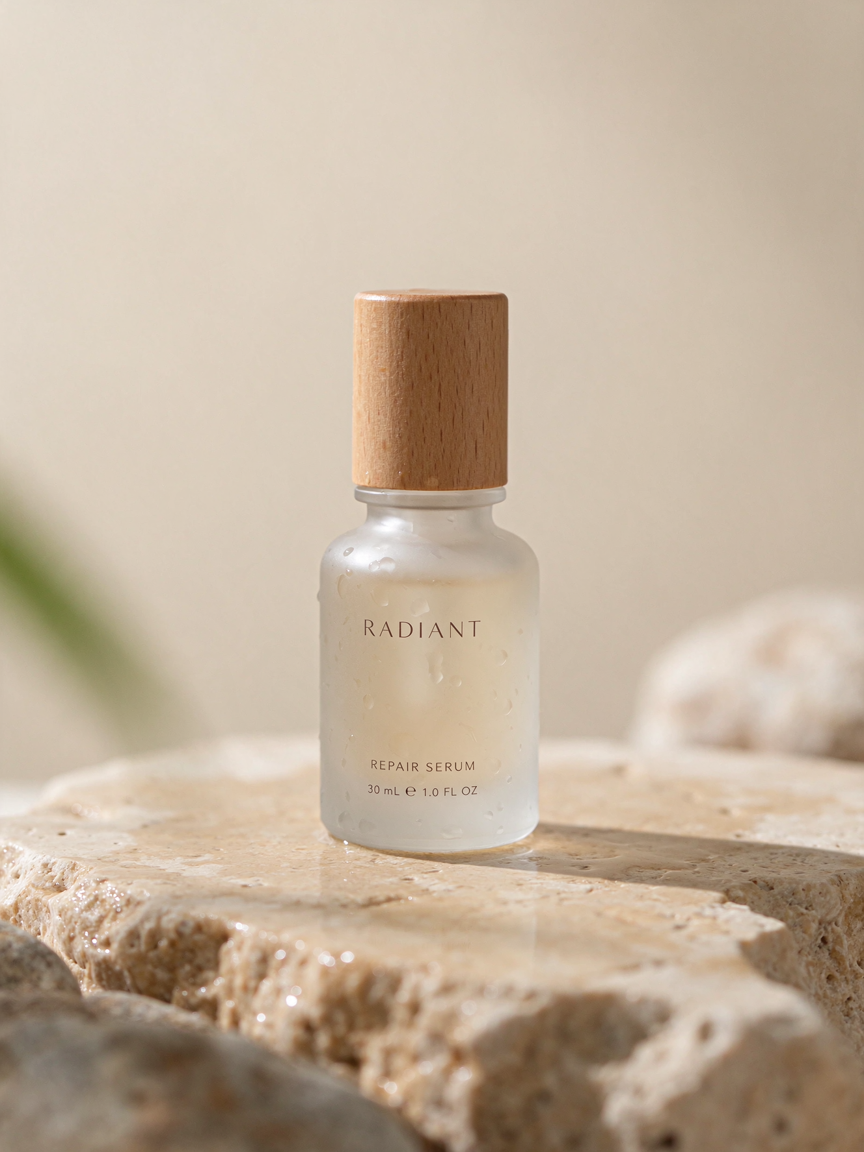
Serum bottle
A product still with controlled materials and light. For a cut-out, set Background to Transparent PNG or choose the Transparent PNG preset before you submit. This still was generated in this workspace with Seedream 5.5 at 1K from the prompt beside it.
A minimalist skincare product shot: a frosted glass serum bottle with a wooden cap on a wet travertine stone, soft morning light, water droplets, shallow depth of field, clean beige background, commercial photography
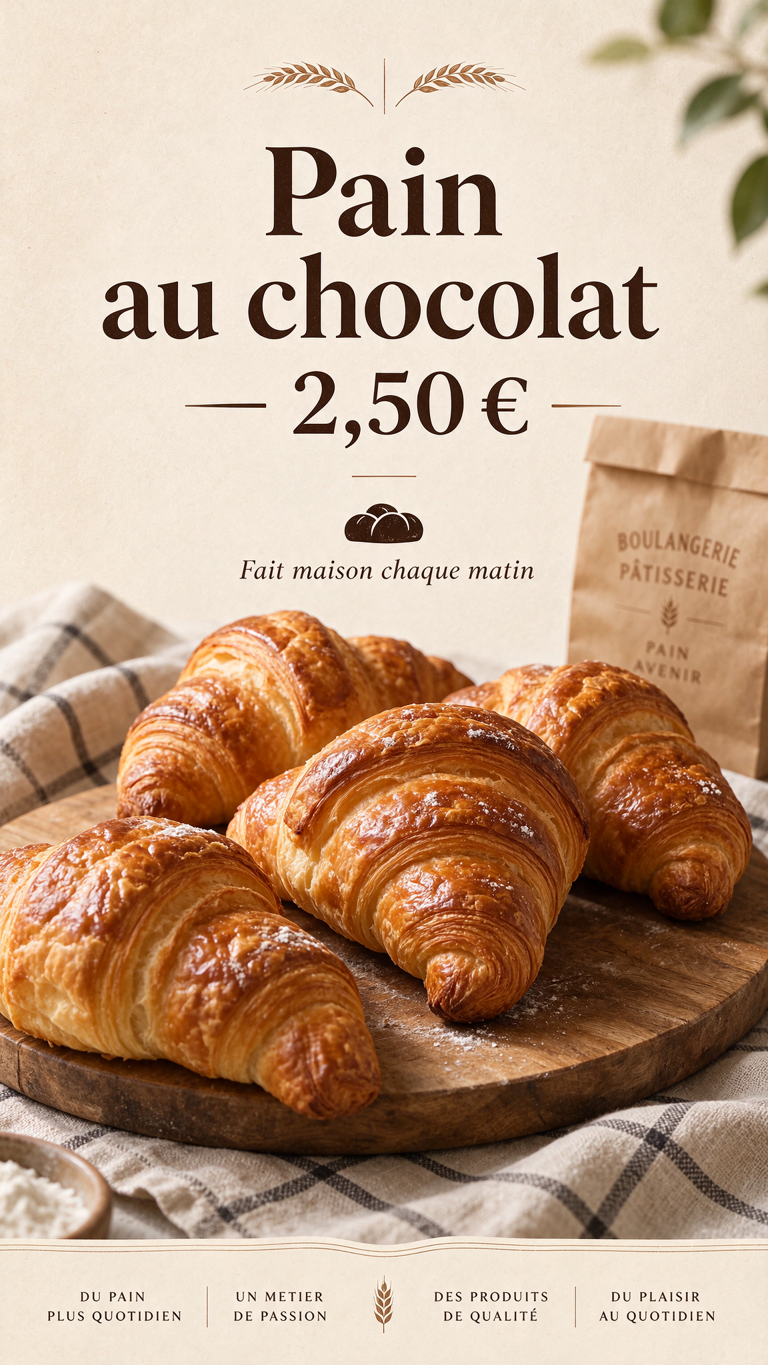
Bakery window
A print-style layout with a headline, a price, and a supporting line. Check every character before you use the type in production. This still was generated in this workspace with Seedream 5.5 at 1K from the prompt beside it.
A French bakery window poster with the headline "Pain au chocolat — 2,50 €" in elegant serif lettering, a small line "Fait maison chaque matin", a photo of fresh croissants below, warm cream background, print design
A controlled image workflow
Small, intentional changes produce more learning than rewriting every part of the prompt.
01
Pick the route
Use Seedream 5.5 for a new still, set Background to Transparent PNG or choose the Transparent PNG preset for an alpha cut-out, or use Seedream 5.5 Edit when you have references.
02
Write a structured brief
Name the use, the subject, the setting, the light, and any exact text in quotation marks. For edits, list what must stay unchanged.
03
Choose the size
1K or 1.5K for drafts; 2K when you need the higher-resolution tier. The credit quote updates with the size and, for edits, the number of inputs.
04
Review at full size
Check small type, labels, and the alpha channel on transparent outputs before you publish.
Workspace facts
Live constraints for Seedream 5.5 on this route: endpoints, credit math, and provider pricing sources you can verify before generating.
Live endpoints on this page
Seedream 5.5 opens through 3 linked endpoints in the Seedream 5.0 Pro generator: bytedance/seedream/v5.5/text-to-image; bytedance/seedream/v5.5/text-to-image/transparent; bytedance/seedream/v5.5/edit. Available modes here: text to image, image to image. Shared aspect ratios: 1:1, 16:9, 4:3, 3:4, 9:16.
Credit cost in this workspace
A typical 1:1 text-to-image run with Seedream 5.5 costs 1 credit here. Image-to-image with one reference is 1 credit on bytedance/seedream/v5.5/edit.
Related model pages
Stay inside the same workspace while comparing nearby model intents.
Yes. Text-to-image, the Transparent PNG preset, and Edit are live. Seedream 5.0 Pro and Lite stay in the selector.
How many credits does Seedream 5.5 cost?+
On this site's standard plans, text-to-image starts at 1 credit at 1K, 1.5K and 2K. A typical 1K edit with one reference also starts at 1 credit; a 2K edit with one reference is quoted at 2 credits, and more references raise the quote. The exact figure is shown before you submit. This applies inside the Seedream 5.0 Pro product.
Does Seedream 5.5 output a transparent PNG?+
Yes. WaveSpeed documents a native transparent background. On Seedream 5.5 or Seedream 5.5 Edit, set Background to Transparent PNG, or choose the locked Transparent PNG preset. The preview uses a checkerboard; inspect the alpha channel before publishing. This applies inside the Seedream 5.0 Pro product.
Is this the official BytePlus or ByteDance API?+
No. This workspace runs Seedream 5.5 through WaveSpeed. BytePlus ModelArk did not list a 5.5 official model at the time this page was prepared. This applies inside the Seedream 5.0 Pro product.
Can I still use Seedream 5.0 Pro?+
Yes. Seedream 5.0 Pro and Lite remain in the model selector with their own quotes.